
For a small business, every investment needs to have measurable results. In today’s competitive e-commerce landscape, small businesses rely heavily on product visuals to drive sales and perceived value.
As competition grows, maintaining high-quality, consistent product images has become more difficult. Traditional photoshoots take time, require planning, and involve photographers, lighting setups, background choices, and editing. That is why AI product photography is becoming a practical alternative.
With the help of AI-based product photography and smarter AI for product photography workflows, small businesses can now create studio-quality images faster, at a lower cost.
In this article, we will explore why product photography matters, the limitations of traditional methods, how much you can save with AI, and how to use tools like Omnimage AI to streamline your entire image production process.
Why Product Photography Matters for Small Businesses?
Product photography plays a key role in how small businesses present themselves online. It helps communicate product quality and brand value in a way that text alone cannot, making it an important part of building a strong digital presence and supporting customer decision-making.
Key reasons why product photography matters for small businesses are:
- Drives sales and increases conversions: High-quality product photography can significantly improve sales and conversion rates by making products more appealing and trustworthy.
- Builds trust and reduces purchase risk: Clear, detailed product visuals help customers understand what they are buying and reduce hesitation.
- Strengthens brand identity: Consistent visual style helps small businesses look more established and memorable.
- Enhances social media engagement: Platforms like Instagram, Facebook, and Pinterest reward strong visual content with better reach and interaction.
- Improves perceived product value: Well-presented products look premium and can support stronger pricing confidence.
- Reduces return rates: Accurate visuals set better expectations and reduce returns caused by confusion.
- Acts as a 24/7 sales tool: Product visuals work continuously across websites, ads, and social media.
The Problem with Traditional Product Photography for Small Businesses
Traditional product photography can be helpful, but for small businesses, it can get expensive and hard to scale. Photographers, studios, tools, editing, and revisions must be paid for during each shoot. These costs are repeated whenever new products are added or updated.
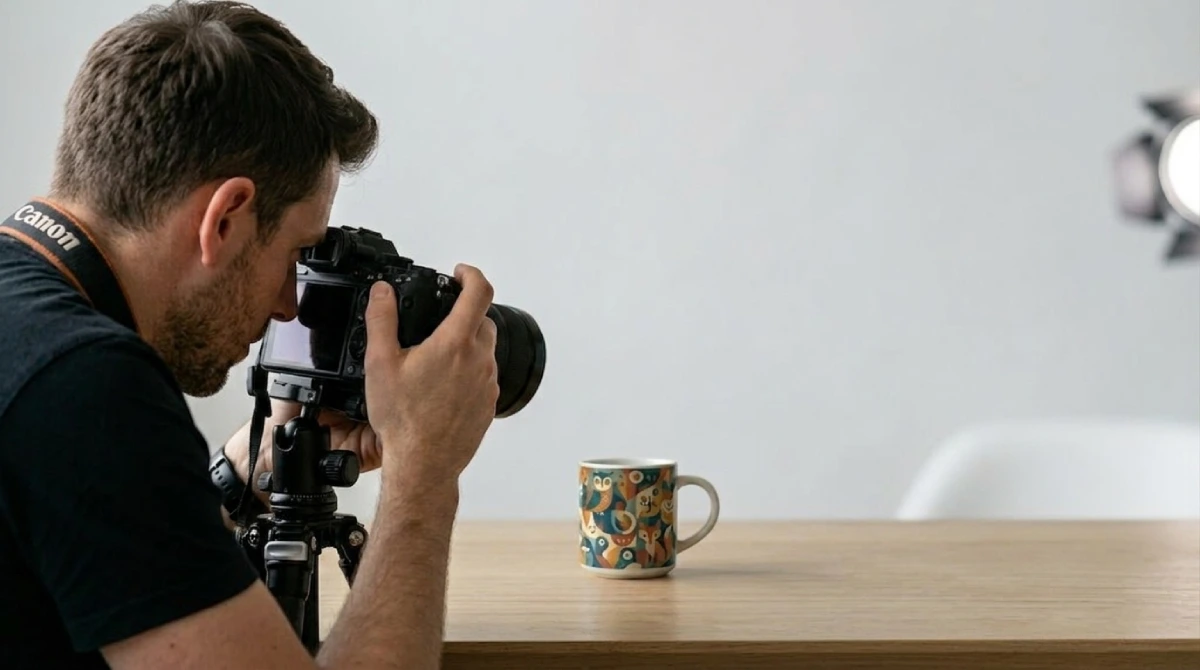
It also takes a long time, from planning to shooting to editing, which can cause product launches to be delayed and marketing to move more slowly. Consistency among images gets more challenging as product catalogues expand, and logistics, such as shipping items, add another layer of complexity.
Even though traditional product photography produces positive outcomes, it is not always a good choice for small businesses that need faster, more flexible, and less expensive ways to handle product images.
How Much Can Small Businesses Save With AI Product Photography?
Small businesses are increasingly adopting AI product photography to cut costs, speed up workflows, and scale their product visuals more efficiently. With AI product photography, small businesses can save up to 80% of time on editing, retouching, formatting, and exporting.
Here is an overall cost comparison table based on product scales:
| Product Scale | Traditional Product Photography | AI Product Photography | Estimated Savings |
|---|---|---|---|
| Small (20 products/year) | $1,000 - $2,000 | $20 - $50 | 90%-95% savings |
| Medium (50 products/year) | $3,000 - $7,500 | $50 - $150 | 90% savings |
| Large (100 products/year) | $10,000 - $20,000 | $100 - $500 | 90%-95% savings |
| Very large (500+ products) | $20,000+ | $300 - $1,000 | 80%-95% savings |
How to Process Product Images with Omnimage AI
Omnimage utilizes raw images and turns them into visually stunning product photos. Omnimage is designed for speed and automation; it also makes it easy to manage and scale large product catalogs.
Here is a stepwise process of how it works:
Step 1: Capture or prepare your product image
Making sure your product is well-lit and has enough resolution is the first step. To get the best results, use natural light and shoot against a plain white or solid-colored backdrop to make the product pop. Good lighting and a steady frame allow the AI to generate more accurate and lifelike results.
Step 2: Upload to Omnimage AI
Once the product image is prepared, the next step is to create an account and upload it to the Omnimage AI platform. You can upload images using a simple drag-and-drop interface or file browser, with support for formats like JPEG, PNG, and WebP.
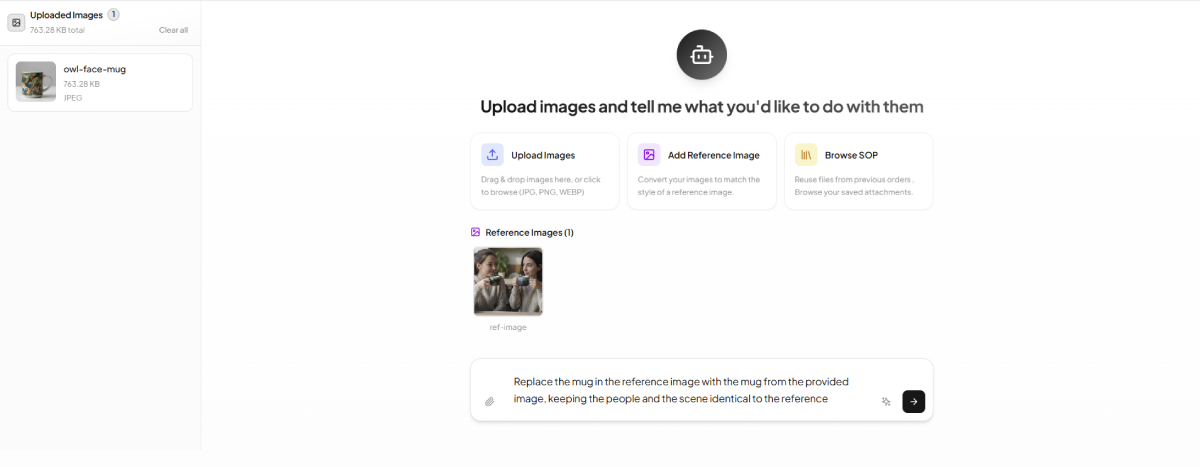
The platform also allows batch uploads (multiple images at once) and automatically validates files to ensure they are ready for processing. This step gets rid of the need to schedule actual studio sessions, which speeds up workflow preparation by a large amount.
Step 3: Background optimization and refinement
With Omnimage, uploaded images are processed by replacing the background with your chosen style using prompts, references, or guidelines (SOP). It automatically adjusts lighting, shadows, and perspective for a natural look in lifestyle or custom scenes.
You can then refine the output by adjusting lighting, maintaining brand consistency, and generating variations with different backgrounds, angles, or colors. Results can be reviewed, compared, and regenerated for a polished final image.
Step 4: Review and compare results
After generation, review and compare outputs to select the best-performing visual. Regenerate options when needed to improve quality, align to campaign goals, and keep consistency across product lines.
Step 5: Final output and export
With Omnimage, once your images are finalized, you can export them as a ZIP file for easy download and use. Each export also includes processing metadata and summaries to help with organization and tracking.
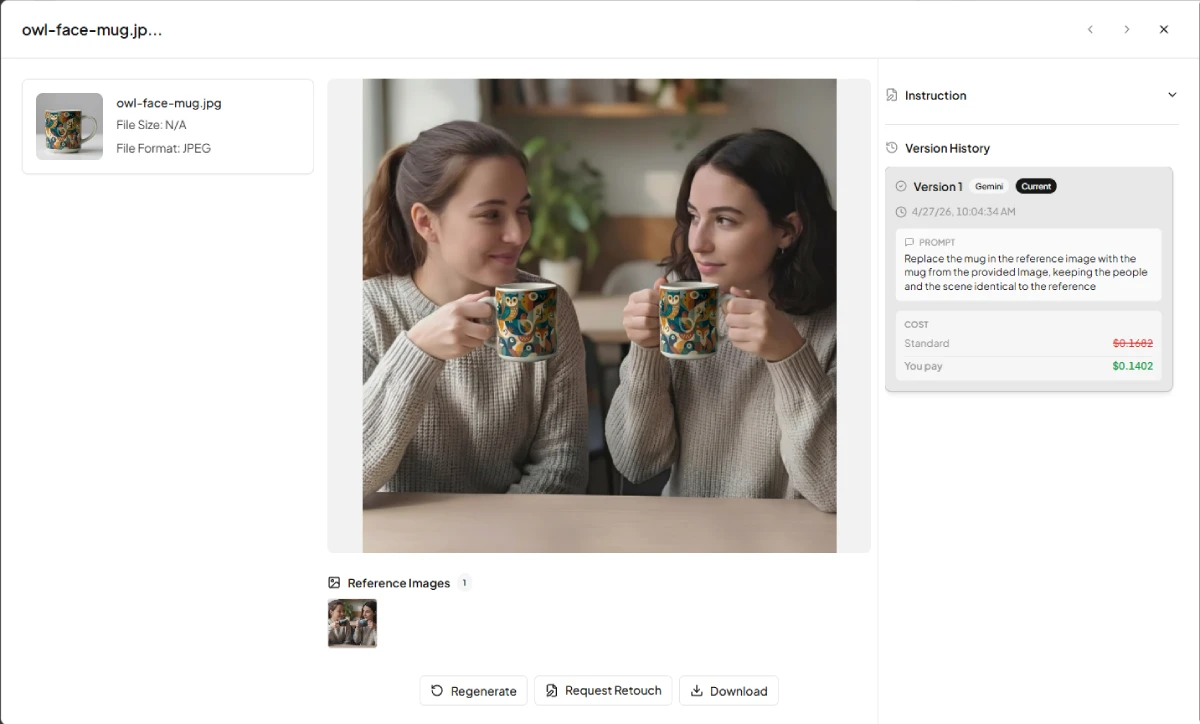
This ensures you always have a clear record of how each image was processed, making it easier to manage versions, review changes, and maintain consistency across your product visuals.
Tips for Getting the Best Results from AI Product Photography
AI product photography can produce highly realistic, studio-quality visuals. However, the final output depends on how well you prepare your inputs. It also depends on how you guide the generation process.
Here are some effective tips for getting the best results from AI product photography:
- High-quality inputs and consistent lighting: Use clear, high-resolution product photos with simple backgrounds and stable lighting to improve AI accuracy.
- Clear and structured prompts: Keep prompts specific and focused, including product, setting, mood, and lighting cues.
- Experiment with variations: Generate multiple outputs across angles, backgrounds, and styles to identify the strongest creative direction.
- Maintain consistent brand style: Reuse references and style guidance so catalog images look coherent across all SKUs.
- Optimize and refine outputs: Validate platform requirements, check for minor visual artifacts, and do light post-processing when needed.
AI Product Photography vs Hiring a Freelance Photographer
As of 2026, AI has come a long way. As e-commerce grows, businesses now have two main options for product visuals: AI tools like Omnimage, Photoroom, and Pebblely that quickly generate product photos, and traditional freelance photographers for studio shoots. Each option offers different benefits based on budget, product type, and goals.
Here is a clear comparison between AI product photography and a freelance photographer:
| Factor | AI Product Photography | Freelance Photographer |
|---|---|---|
| Cost | Subscription based | $0.25 to 10+ per image |
| Turnaround time | Minutes to hours (almost instant) | Days to weeks |
| Setup requirement | 1-2 basic product photos | Shipping products + studio setup + scheduling |
| Equipment | None (software-based) | Professional camera, lighting, studio |
| Scalability | Unlimited images and variations on demand | Limited by time, schedule, and workload |
| Creative control | Prompt-based with AI-generated variations | Fully customizable human creative direction |
| Batch processing | Hundreds of products at once | Need to be handled per shoot/session manually |
Final Thoughts
With AI product photos, small businesses can make high-quality images of their products faster, cheaper, and on a larger scale. It automates processes, cuts costs, and ensures accuracy. Artificial intelligence has become a strong tool for organizations seeking efficient growth.
Tools like Omnimage AI further simplify this process by making it easy to scale, manage, and maintain consistent product visuals. On the other hand, traditional photography still has value for adding a personalized touch, but for most small businesses, AI solutions like Omnimage are a more practical and efficient choice.
Frequently Asked Questions
Can small businesses afford AI product photography?
Yes, small businesses can definitely afford AI product photography. It has low per-image costs and subscription plans, which make it ideal for small businesses.
Do I need a professional camera for AI product photography?
No, you do not need a professional camera for AI product photography. You can optimize images with a smartphone with good lighting, and AI will handle the rest.
Can AI product photography replace a professional photographer for small businesses?
AI tools can replace professional photographers for basic listings and catalogs, but professionals are still needed for high-end branding and creative campaigns.
How long does AI product image processing take?
AI product images processing usually takes a few seconds to minutes to generate visuals faster than traditional photos.
Is AI product photography good enough for Amazon and Shopify?
Yes, AI-generated images can meet platform requirements if they are clear, high-resolution, and follow marketplace guidelines.
What products work best with AI product photography?
Standard products like apparel, accessories, electronics, and simple retail items work best, while highly reflective or complex items may need extra refinement.
What is the ROI for switching to AI product photography?
The ROI is usually high due to reduced costs, faster turnaround, and the ability to scale visuals quickly, which can improve conversions and efficiency.
What Is AI Product Photography?
AI product photography is the use of artificial intelligence to create or enhance product images, replacing traditional photoshoots with automated, digital image generation.
